








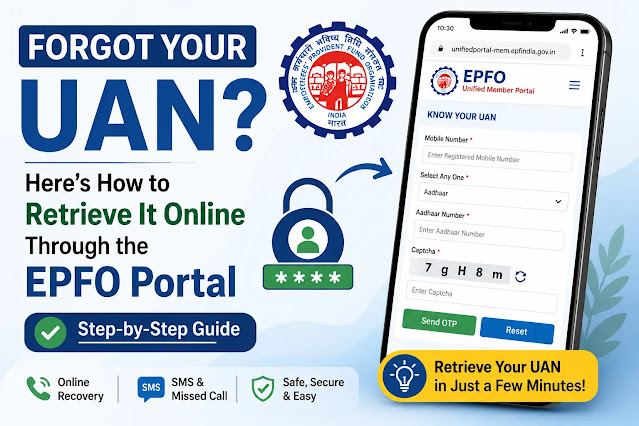
Forgot Your UAN? Here’s How to Retrieve It Online Through the EPFO Portal – Step-by-Step Guide (2026)

UAN Forgot? How To Find UAN Number Online Through EPFO Portal
The Universal Account Number (UAN) is one of the most important information for every Employees’ Provident Fund (EPF) member of India. Your UAN is needed for almost all EPFO services, right from checking your Provident Fund (PF) balance to filing withdrawal claims and transferring your PF account after changing jobs.
But many employees forget their UAN when they switch jobs or remain inactive for a long time. To address this issue, the Employees’ Provident Fund Organisation (EPFO) has provided an easy online facility through which its members can get their UAN forgotten in just a few minutes by verifying their OTP.
If you are looking for Forgot your UAN? This is the complete guide to all official ways like online recovery, SMS & missed call services and common reasons why UAN retrieval may fail. Here’s how to retrieve it online through the EPFO portal.
What is UAN and Why Does It Matter?
What is a Universal Account Number (UAN)?
Every EPF member is allotted a unique 12-digit identification number by EPFO called the Universal Account Number (UAN). A UAN remains the same throughout your career, regardless of the number of employers you work for, unlike your PF account number.
With every change of job, your new employer opens a new PF account for you with the same UAN. This consolidates all your PF accounts into a single identity.
UAN can be used to:
- Check your PF balance online.
- Download EPF passbook online
- PF withdrawal claim files
- Transfer PF on Job Change
- KYC Details update
- Check status of claims
- EPFO Unified Member Portal
These online services are hard to avail without your UAN.
Lost UAN? Here’s How to Download It Online via EPFO Portal
EPFO Online UAN Recovery Process (Official)
EPFO has introduced an online facility called Know Your UAN which enables members to recover their UAN without visiting an EPFO office or contacting their employer.
Usually, it only takes a few minutes if your registered mobile number is active.
Step 1: Visit EPFO Unified Member Portal
Go to the official EPFO Unified Member Portal and click on the “Know Your UAN” option on the homepage.
Step 2: Type in Your Registered Mobile Number
Provide the mobile number which you have registered with your EPF account.
This number is used for One-Time Password verification.
Step 3: Choose an Identity Proof
Select from the following identification options:
- Aadhaar No.
- PAN Card
- Membership ID
Carefully enter the selected document number.
Step 4: Complete the CAPTCHA verification
You must complete the security CAPTCHA shown on the screen before you can continue.
Step 5: Tap on the Send OTP button
An OTP will be sent to your registered mobile number.
Please enter the OTP correctly to continue.
Step 6: Get Your UAN
On successful completion of verification your UAN will be shown on the screen.
Now you can use this UAN to login to the EPFO Unified Member Portal and avail all the services available.
Other Methods to Retrieve Lost UAN
Obtain UAN through EPFO SMS Service
EPFO also provides SMS facility in case internet is not available.
Members can send the following SMS from their registered mobile numbers
UAN EPFOHO
SMS service supports multiple regional languages. Members just have to put the first three letters of the language of preference.
Examples:
- HIN Hindi
- TAM for Tamil.
- TEL Telugu TV
On successful verification, EPFO will send the required details through SMS.
Missed Call Facility for UAN Retrieval
EPFO has also launched a free missed call service.
Members can give missed call from their registered mobile number to the EPFO helpline.
If Aadhaar, PAN and bank details are linked with UAN, EPFO automatically send an SMS containing:
- PF balance
- Latest contribution information
- Info relating to UAN
The service is entirely free and functions on even basic feature phones.
Why Your UAN Recovery Fails
Most Common Problems When Accessing UAN
Although the process of recovery online is easy, some members may have difficulty while retrieving their UAN.
The usual reason is a change of registered mobile number. If mobile number has been changed then OTP verification is done on registered number and recovery cannot be completed.
Another big problem is inconsistency in the personal details. Your name, date of birth or father’s name may be different in the Aadhaar, PAN and EPFO records. In that case, authentication may fail.
Another common reason is incomplete KYC. Members who have not linked Aadhaar, PAN or bank account with EPFO may face verification errors.
Often employees end up with multiple UANs when they switch jobs, which can cause authentication problems.
There may also be a temporary interruption in the recovery process due to maintenance or technical upgrades on EPFO servers.
UAN Recovery Issues: How to Avoid Them
Keep EPFO details updated
EPFO advises to follow some simple practices to avoid future recovery issues.
Keep your registered mobile number active at all times.
Make sure your personal details match across Aadhaar, PAN and EPFO records.
Get your KYC verified as soon as possible.
Don’t create a new UAN when you change jobs. Rather, continue with the same UAN throughout your career so that all your PF accounts stay linked.
Updating of these records helps in providing seamless access to EPFO services.
Important Safety Tips for UAN Recovery
Use Only EPFO Official Services
The EPFO has told members many times to get their UAN only through official channels.
Keep your OTP confidential and do not share it with unknown callers or third-party websites offering UAN recovery services.
Fraudsters may also try to collect personal information by pretending to offer EPFO support.
Always check and make sure you are on the official EPFO portal before entering any personal information.
And your PF account is safe, as long as you take care of your OTP and login credentials.
How to Retrieve UAN if Not Able to Do So
Contact your employer or EPFO
In case you are unable to get your UAN even after following the official process, do not panic.
You may:
- Contact the HR Department of your employer.
- Contact the regional office of the EPFO
- For further assistance contact the EPFO helpdesk.
In most cases, updating KYC details or correcting information will resolve the problem.
Conclusion
UAN is the entry point to almost all services of EPFO for all the salaried employees. If you wish to check your PF balance, transfer your PF after changing jobs or file an online claim, you need to remember your UAN.
If you’ve forgotten your password, don’t worry, EPFO has an official recovery facility that makes the process quick and easy. Members can get their UAN through Know Your UAN service, SMS facility, or missed call facility without the need to visit an EPFO office.
To ensure smooth access to all EPFO services and reduce the chances of authentication failures in future, updating your Aadhaar, PAN, mobile number and KYC records will help.
Disclaimer
DISCLAIMER: This article is for informational and educational purposes only. All care has been taken to ensure accuracy, but the EPFO rules and procedures may change from time to time. Note : Candidates are requested to check latest information from official website of EPFO before taking any action. Some parts of this article were generated with the help of Artificial Intelligence (AI) and have been fact-checked and edited for accuracy and clarity by the EduTaxTuber editorial team.